Stitch a whole slide
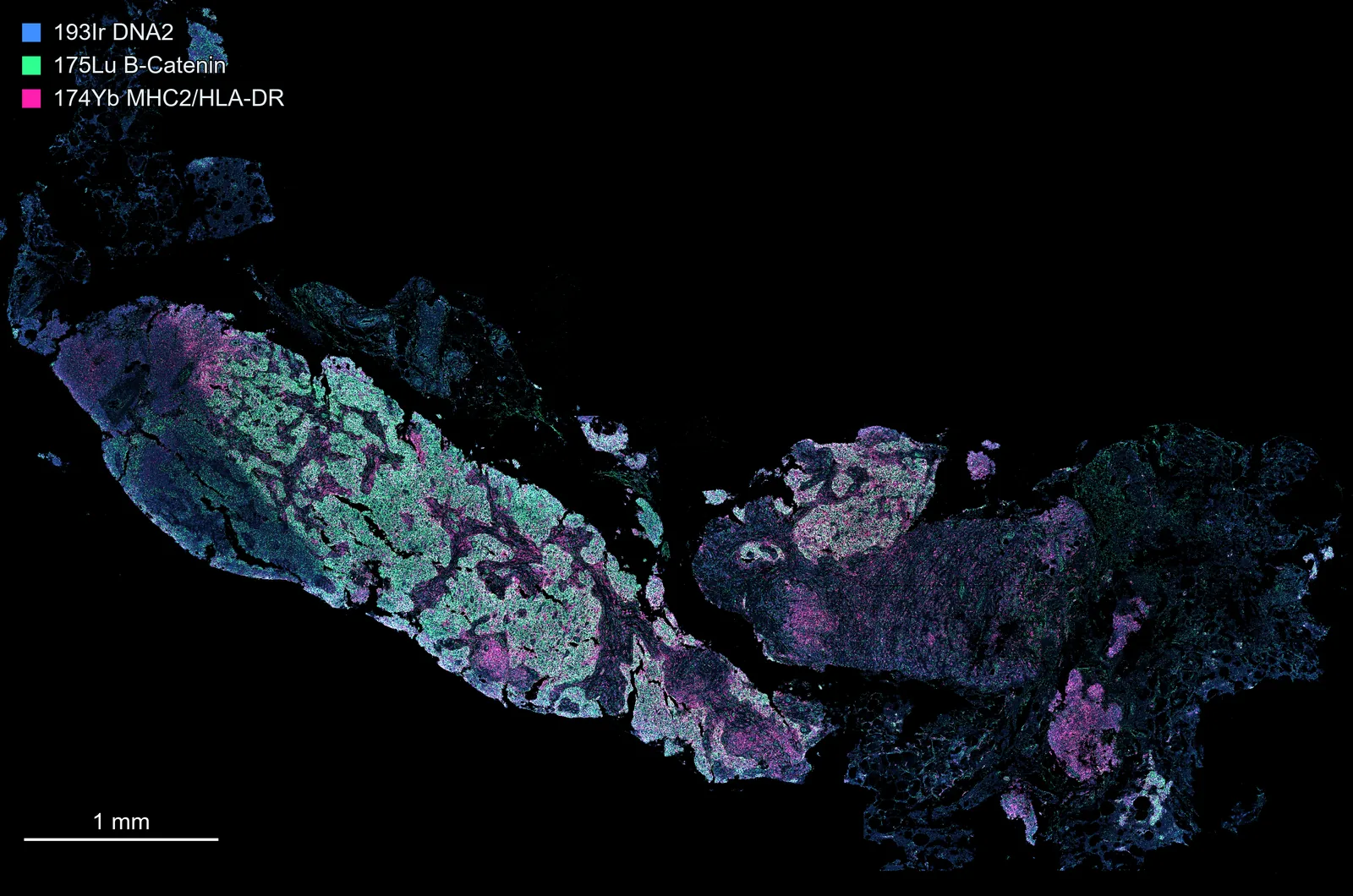
Goal: one image of all the regions on a slide, each where it was acquired, that pans and zooms smoothly.
1. Check what is in the file
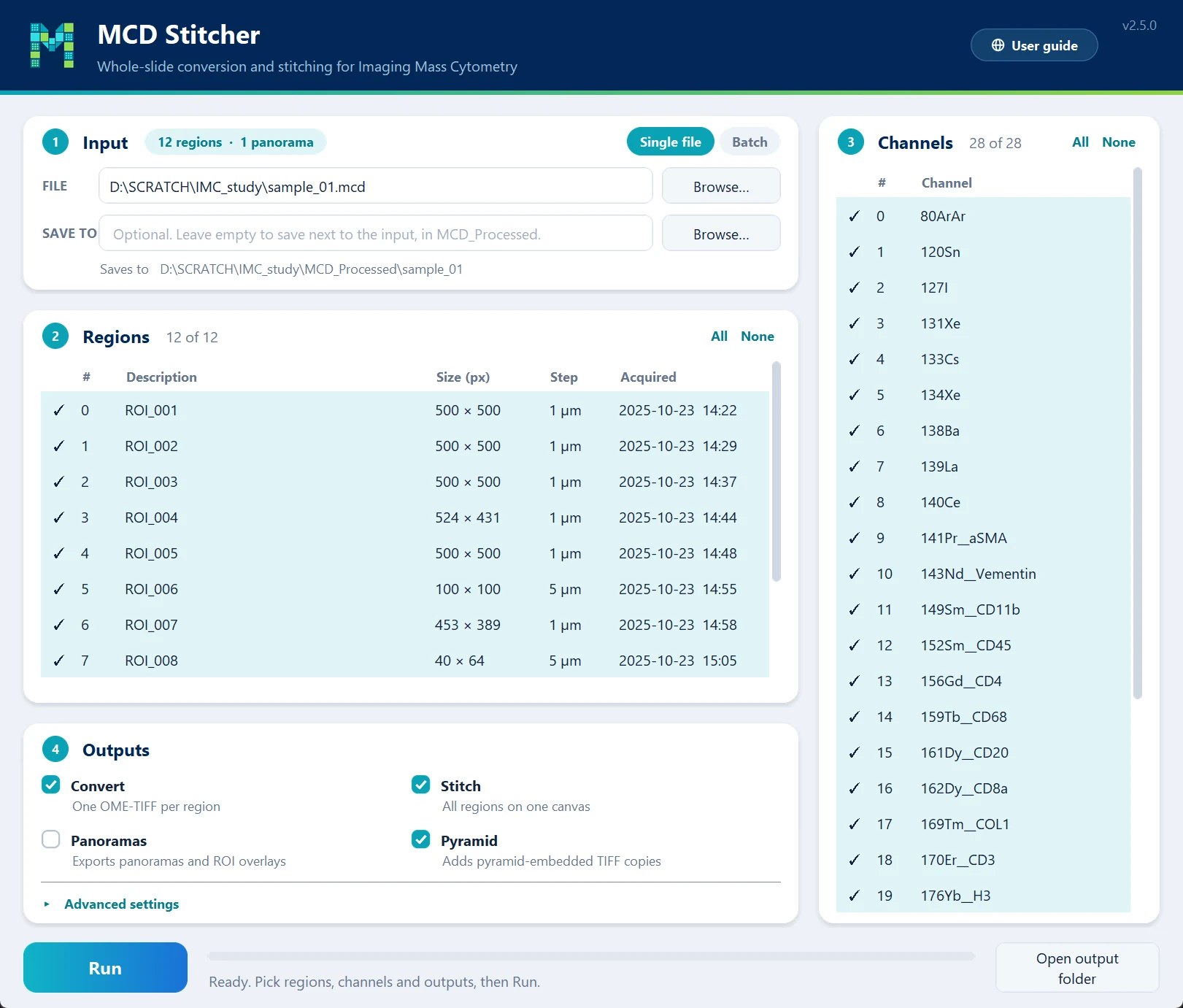
Start mcd_gui and choose the .mcd file. The Regions table lists every region with its size, step size and acquisition time, and the badge next to Input counts regions and panoramas.
mcd_process "slide.mcd" -m
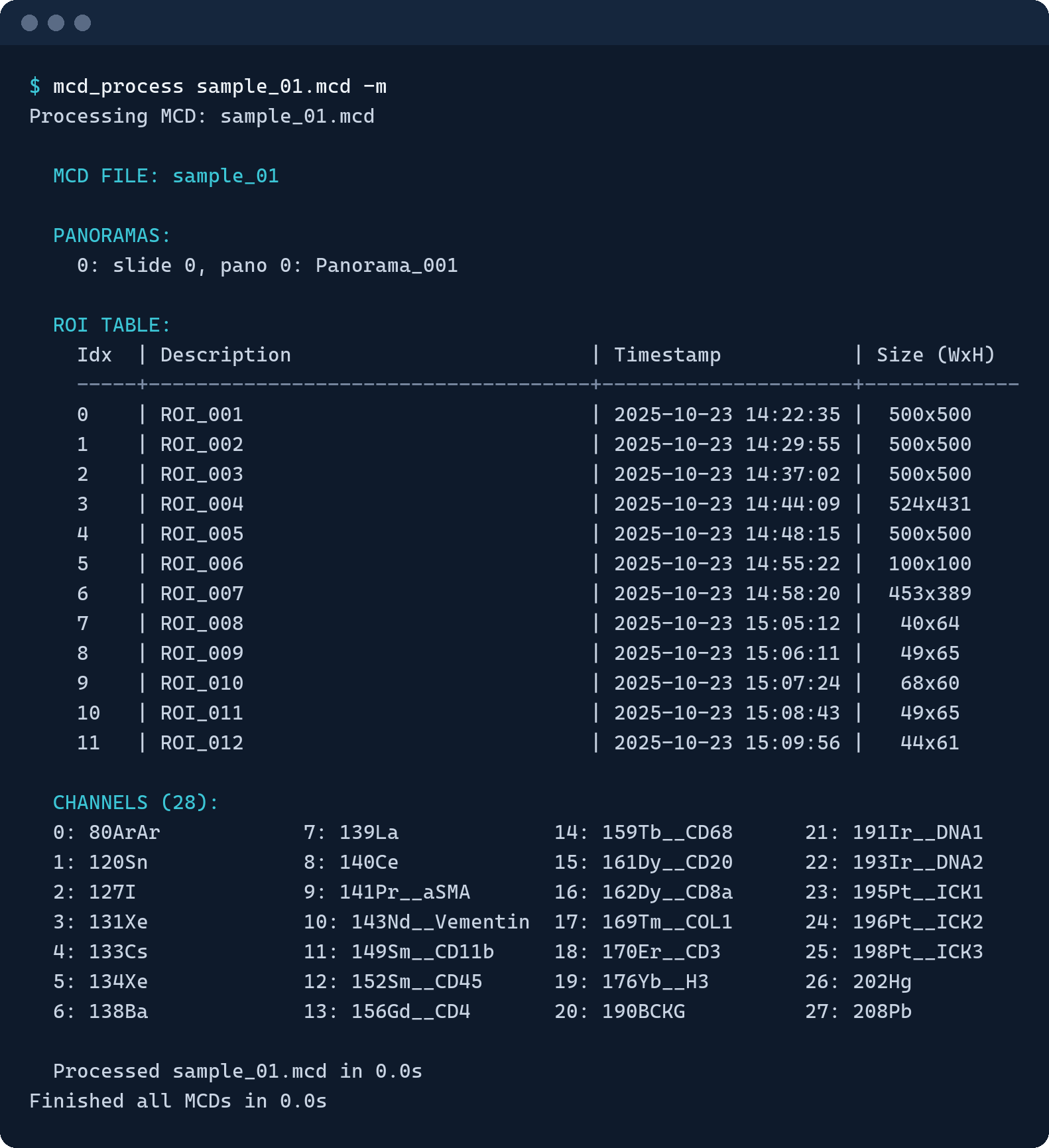
This prints the panoramas, the region table and the indexed channel list:
2. Choose the regions
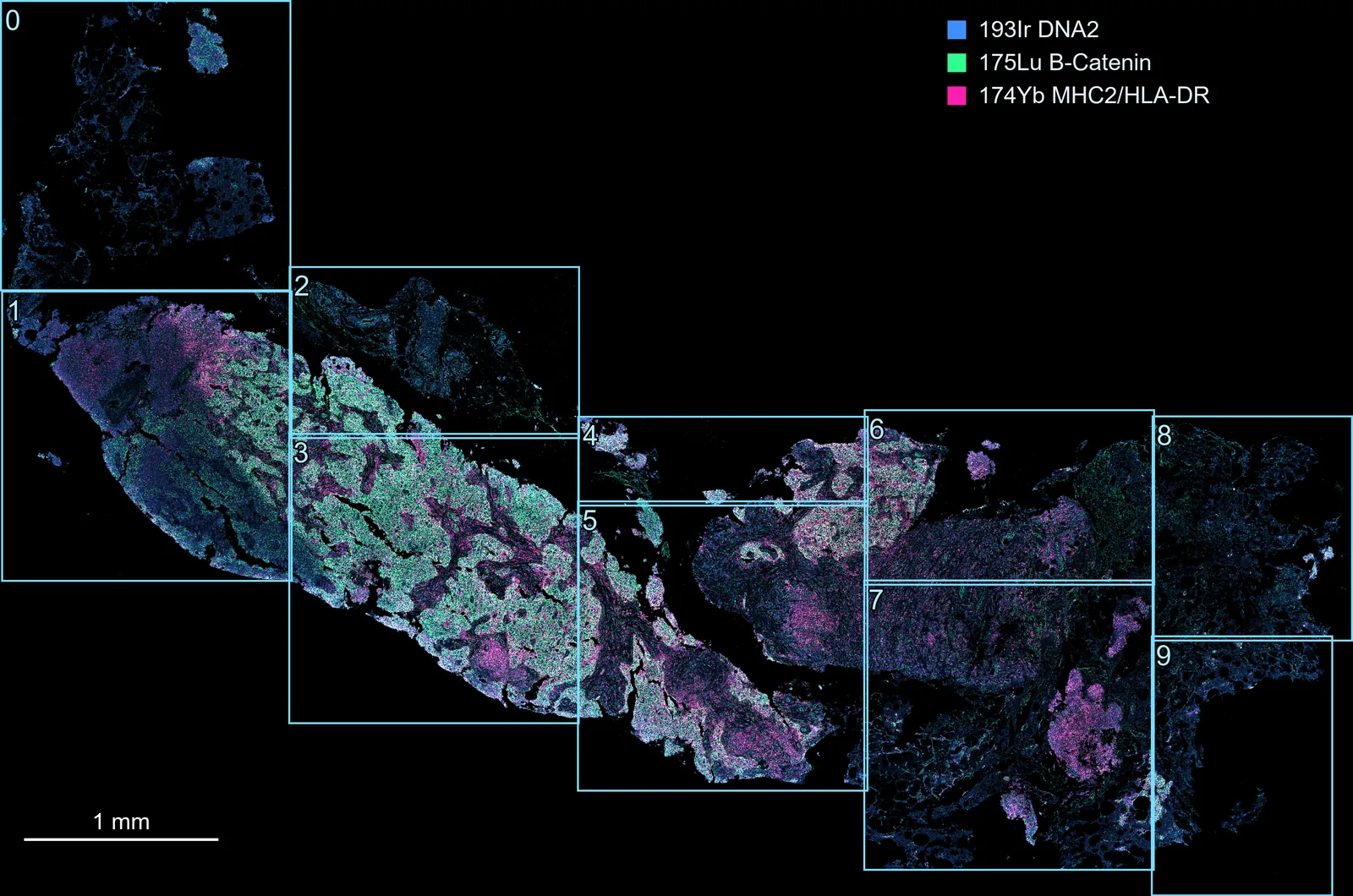
Stitch every region, or leave some out, such as test shots. The indices match what the app and -m list, and region 0 is the earliest acquired:
3. Stitch, with a pyramid copy
Untick the regions you do not want, tick Stitch and Pyramid, and press Run.
mcd_process "slide.mcd" --stitch --pyramid
To leave regions out, list the ones to keep with -r, e.g. -r "0-3,5".
4. The result
MCD_Processed/<file name>/ now holds <file name>_stitched.ome.tiff and its pyramid copy, <file name>_stitched_pyramid.ome.tiff. Both hold the same pixels; the pyramid copy stores them as tiles at several resolutions, so it is the one to open for smooth panning and zooming.
How it works explains how the regions are placed, resampled and layered.