Export a channel subset
Goal: smaller files holding only the markers you need, for sharing or for tools that struggle with dozens of channels.
1. Find the channel indices
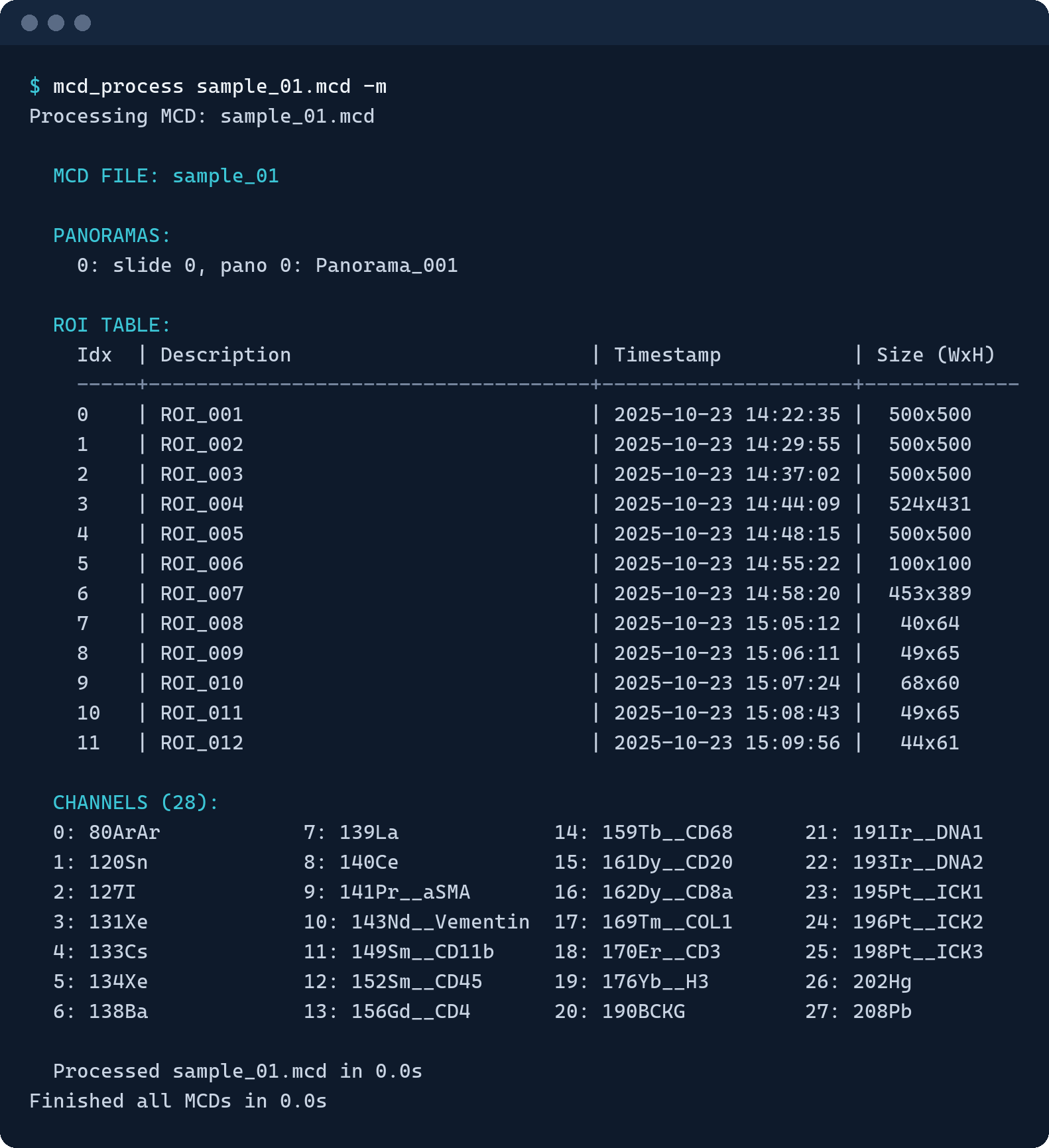
The Channels table lists every channel with its index.
mcd_process "slide.mcd" -m
This ends with the channels as an indexed grid:
2. Write the subset
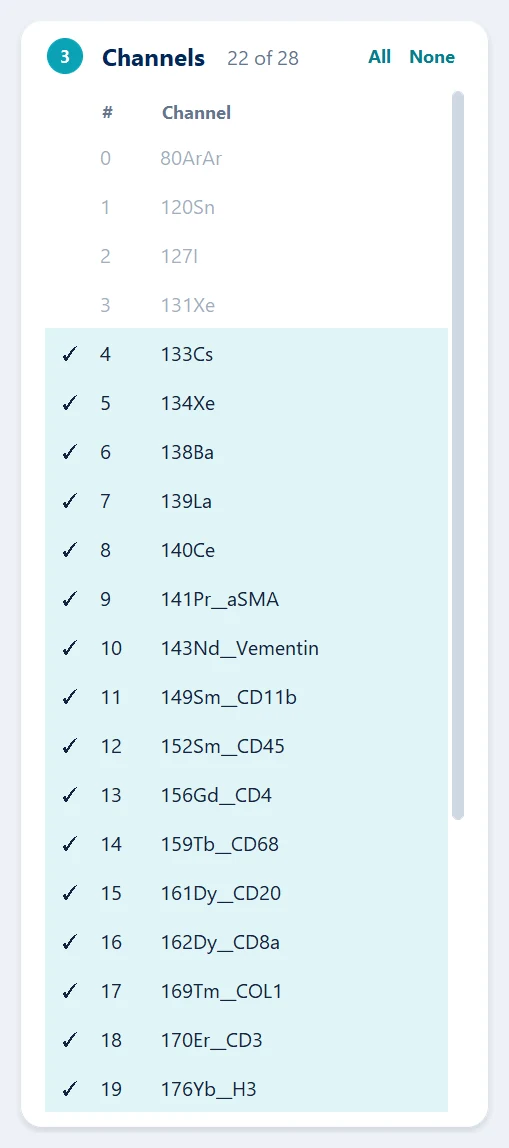
Untick the channels you do not need — here the background and calibration channels — tick Convert and/or Stitch, and press Run. Next to each full file you get a _filtered copy holding only the ticked channels.
mcd_process "slide.mcd" --stitch -f "4-25"
This writes <file name>_stitched.ome.tiff and <file name>_stitched_filtered.ome.tiff.
Indices are single numbers and ranges, separated by commas: "0-5,7,10-12". Adding a pyramid (Pyramid in the app, --pyramid on the command line) turns the copy into _filtered_pyramid: the subset, stored as tiles at several resolutions.
From OME-TIFFs you already have
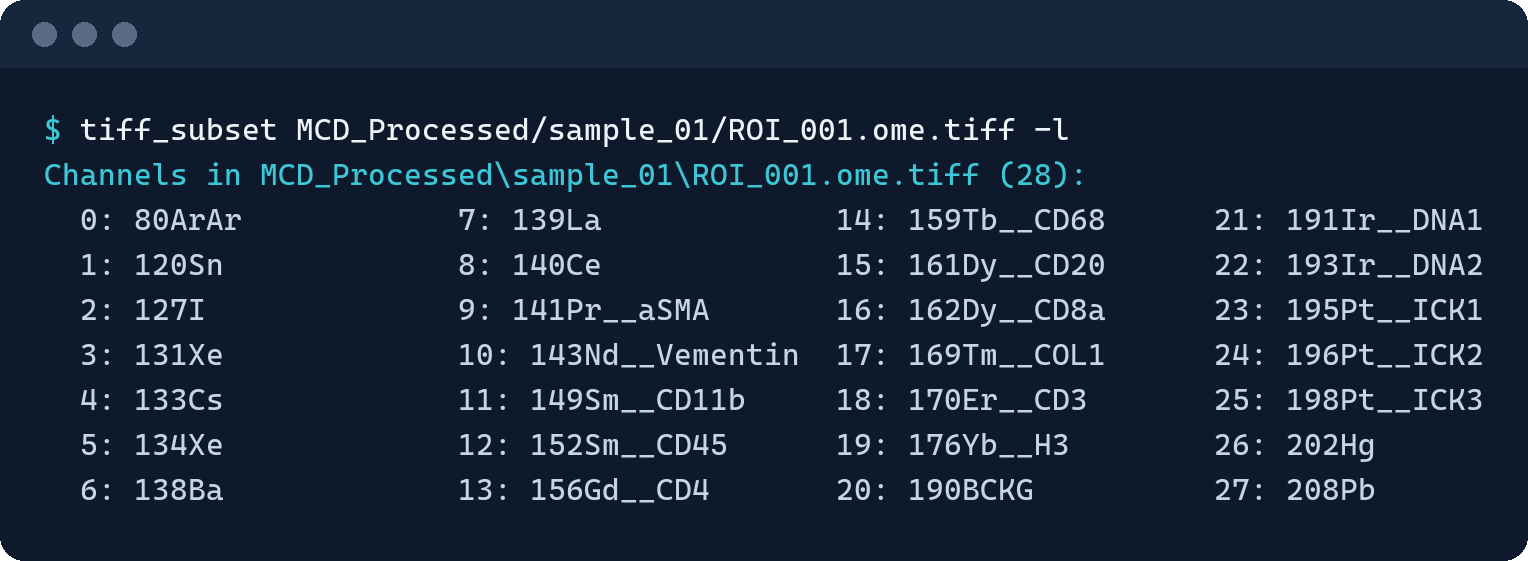
tiff_subset works on existing files, one at a time or a whole folder:
tiff_subset "ROI_001.ome.tiff" -l          # list the channels with their indices
tiff_subset "path/to/tiffs/" -f "4-25"     # a _filtered copy of every .tiff below
The copies keep the channel names and pixel size of their source.