MCD Stitcher

Whole-slide conversion and stitching for Imaging Mass Cytometry. MCD Stitcher reads Standard BioTools .mcd files and writes OME-TIFFs for QuPath, Napari and Fiji — from a desktop app, the command line or Python.
- Convert — each region (ROI) becomes its own multi-channel OME-TIFF.
- Stitch — all regions onto one canvas, placed by recorded stage coordinates.
- Post-process — channel subsets, pyramidal copies, re-compression.
One window, or one command
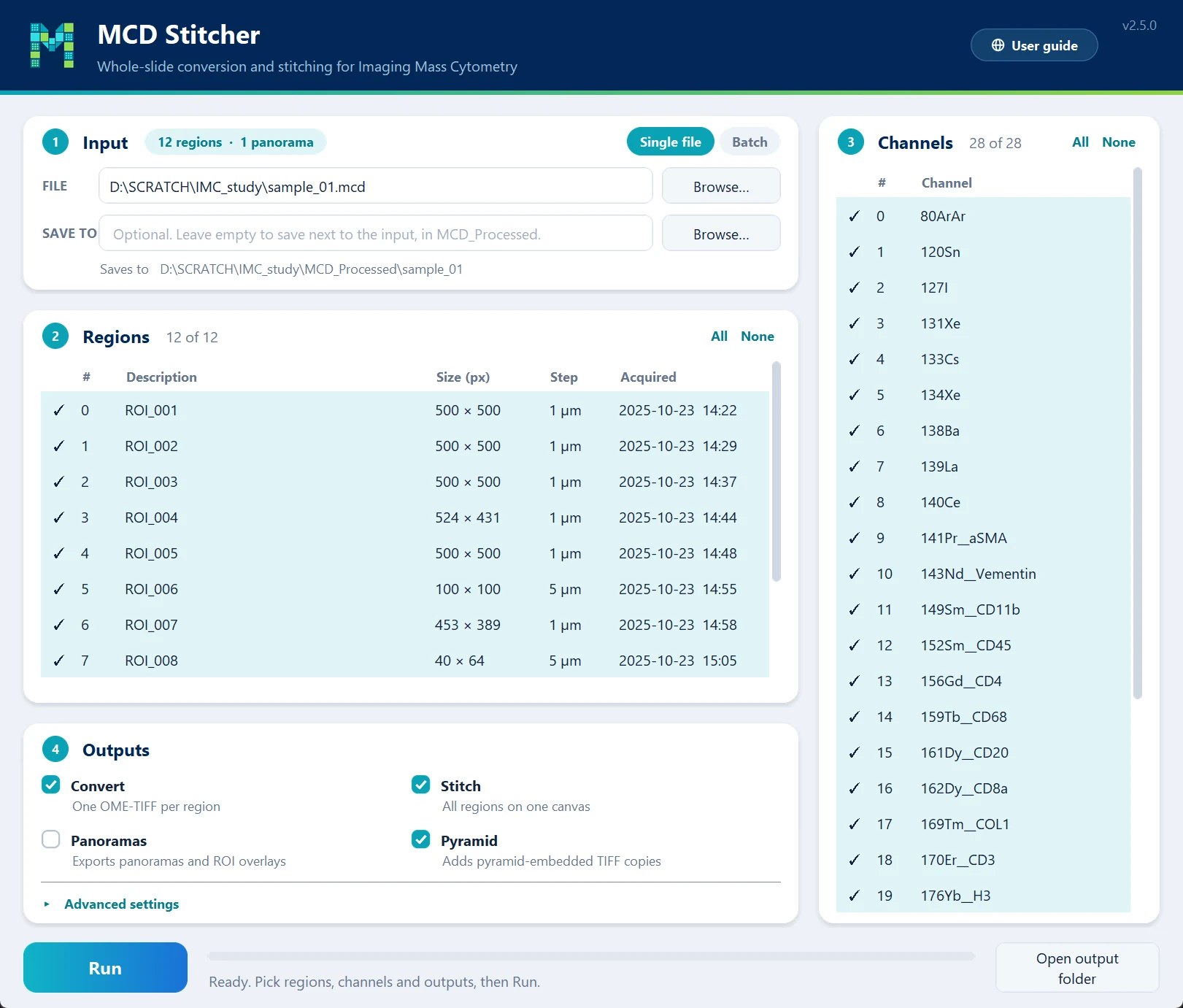
The same engine runs behind the desktop app, the command line and the Python API, so a run gives the same files whichever you use.
From regions to one canvas
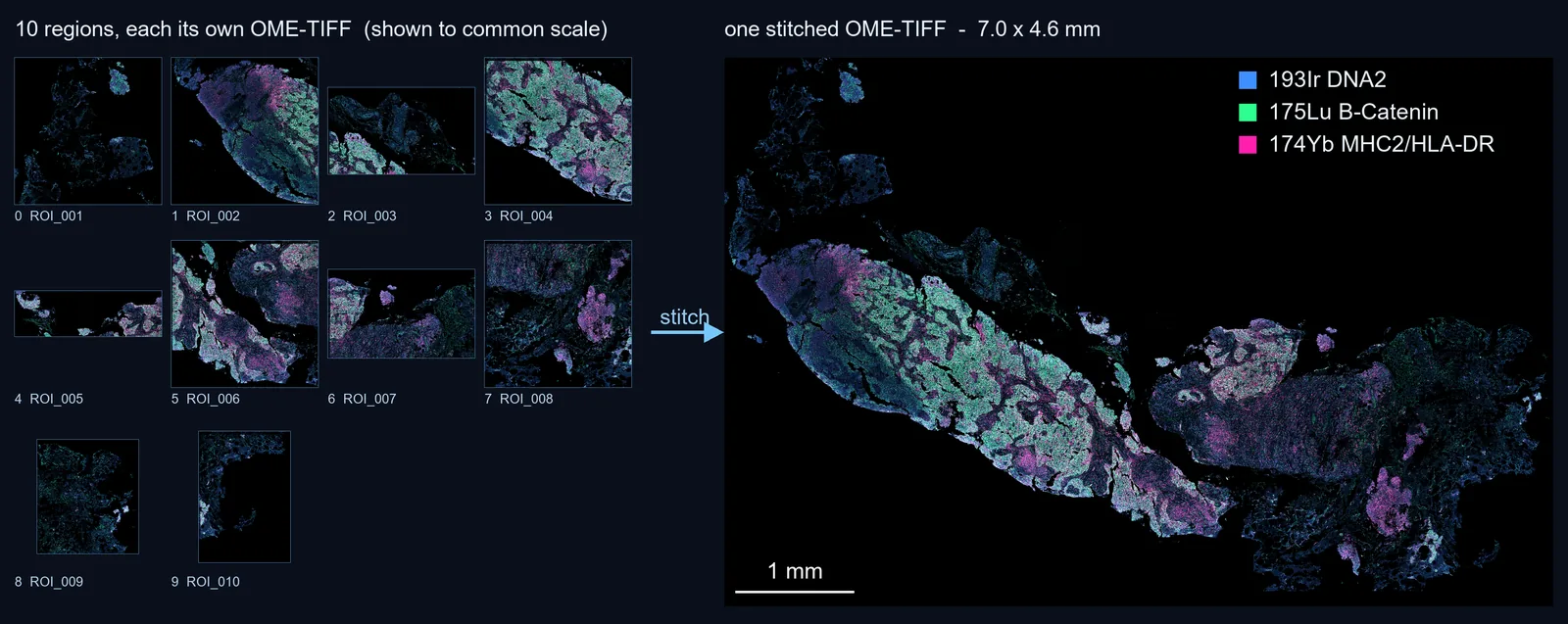
Left: ten regions from one .mcd file, shown to common scale. Right: the same ten placed on a single 7.0 × 4.6 mm canvas at 0.5 µm/px. How it works explains the steps.
In these pages
- Getting started — install it and make your first stitched image.
- How it works — reading, converting, stitching and post-processing, with the paper behind it.
- Desktop app — the window, part by part, for one file or a batch.
- Command line — every command and option.
- Python API — the same engine, from your own scripts.
- Tutorials — step-by-step workflows.
- Troubleshooting — memory, skipped files, stopped runs.
Citation
If MCD Stitcher helps your work, please cite the preprint:
Chaurasia, P. (2026). MCD Stitcher: An open-source tool for whole-slide stitching and conversion of Imaging Mass Cytometry data. bioRxiv. https://doi.org/10.64898/2026.06.26.732348
BibTeX
@article{chaurasia2026mcdstitcher,
  title   = {MCD Stitcher: An open-source tool for whole-slide stitching and conversion of Imaging Mass Cytometry data},
  author  = {Chaurasia, Pawan},
  journal = {bioRxiv},
  year    = {2026},
  doi     = {10.64898/2026.06.26.732348}
}